您现在的位置是:网站首页> 编程资料编程资料
Vue3中注册全局的组件,并在TS中添加全局组件提示方式_vue.js_
 2023-05-24
418人已围观
2023-05-24
418人已围观
简介 Vue3中注册全局的组件,并在TS中添加全局组件提示方式_vue.js_
Vue3中注册全局的组件
1. 在src/components中新建index.ts用来将所有需要全局注册的组件导入
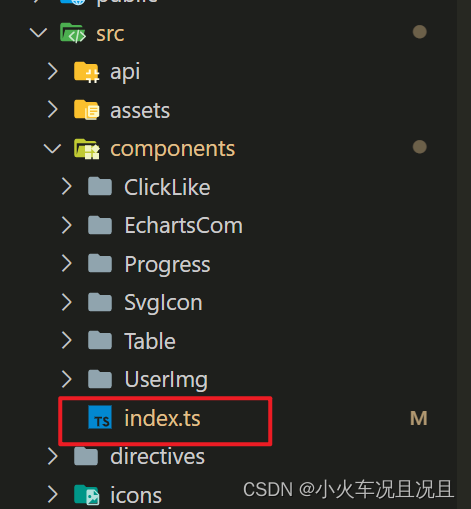
✨: 如果使用的是 JS 可以删除类型校验
import type { Component } from 'vue' import SvgIcon from './SvgIcon/index.vue' // ✨如果使用的是 JS 可以删除类型校验 const components: { [propName: string]: Component } = { SvgIcon } export default components2. 在main.ts中导入
✨这里使用循环的方式, 将每个全局组件进行注册
import { createApp } from 'vue' import ElementPlus from 'element-plus' import 'element-plus/dist/index.css' // 基于断点的隐藏类 Element 额外提供了一系列类名,用于在某些条件下隐藏元素 import App from './App.vue' import router from './router' import { store, key } from './store' import globalComponent from '@/components/index' const app = createApp(App) app.use(store, key).use(router).use(ElementPlus).mount('#app') // 注册全局的组件 for (const componentItme in globalComponent) { app.component(componentItme, globalComponent[componentItme]) }3. 如果使用TS编写,还需要在和main.ts同级的目录, 创建一个components.d.ts, 用来处理组件引入报错的问题和添加组件提示

import SvgIcon from '@/components/SvgIcon/index.vue' declare module '@vue/runtime-core' { export interface GlobalComponents { SvgIcon: typeof SvgIcon } }4. 最后直接导入即可

Vue3踩坑--全局注册组件
我的框架:vue3+vite+ts+naiveUI
步骤一:
创建一个loading文件夹
index.vue
index.ts
//loading/index.vue
解决办法:如步骤一,把语法糖换掉
以上为个人经验,希望能给大家一个参考,也希望大家多多支持。
您可能感兴趣的文章:
相关内容
- JavaScript自定义鼠标右键菜单栏_javascript技巧_
- js实现右键菜单栏功能_javascript技巧_
- Vue3.x的版本中build后dist文件中出现legacy的js文件问题_vue.js_
- 关于Vue中的全局导航守卫(beforeEach、afterEach)_vue.js_
- JS实现左侧菜单工具栏_javascript技巧_
- vue3中通过ref获取元素节点的实现_vue.js_
- JavaScript+node实现三级联动菜单_javascript技巧_
- Vue3中使用setup通过ref获取子组件的属性_vue.js_
- Vue中Element的table多选表格如何实现单选_vue.js_
- 微信小程序开发之全局配置与页面配置实现_javascript技巧_